 to open the
Personnel Tab List.
to open the
Personnel Tab List.Below is the procedure to add additional days off known as a Leave Code to your system:
1. Click
on the Personnel button to open the
Personnel Tab List.
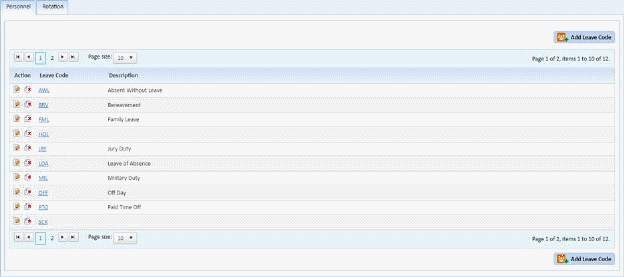
2. Click
on the Add Leave Code button  to
display the form below:
to
display the form below:
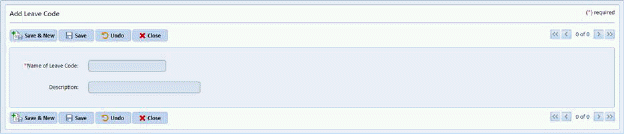
3. Enter the three-letter name of the new Leave Code.
4. Enter a complete description of Leave Code in the Description field.
5. If you
are satisfied with your entry, click on the Save button . To cancel, click on the Undo button
 .
.
6. Click
on the Close button  to return to the
Personnel Tab List.
to return to the
Personnel Tab List.
7. Repeat steps 2 through 6 for all other days off you want to enter.