 to open the
Steps List.
to open the
Steps List.Below is the procedure to add new cleaning steps to the system:
1. Click
on the Steps button to open the
Steps List.
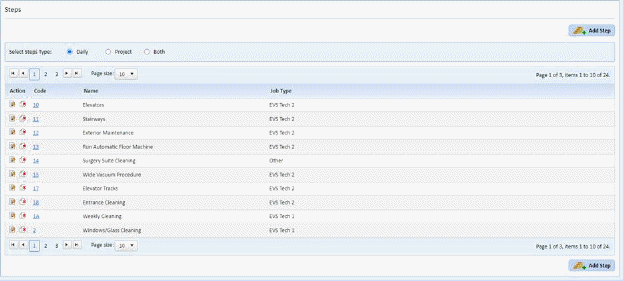
2. Click
on the Add Step button  to open the
figure below:
to open the
figure below:
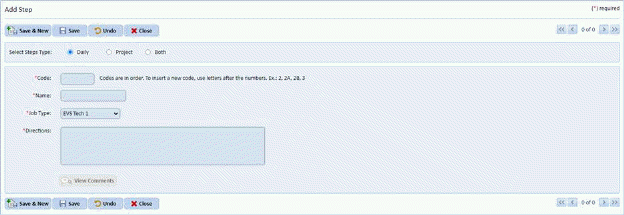
3. Specify whether the step is applicable for Daily, Periodic, or Both types of cleaning.

4. Enter the necessary information for the cleaning step:
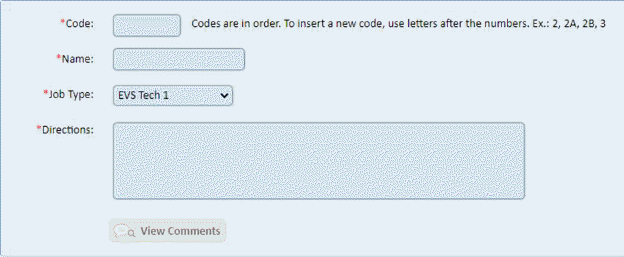
NOTE: Codes must be unique and in order. To insert a new code, use letters after the numbers. Ex: 2, 2A, 2B, 3. Also, follow the message specified next to the code field. Codes are in order.
5. If you
are satisfied with the information entered, click on the Save button . To cancel, click on the Undo button
 .
.
6. Click
on the Close button  to return to the
Steps List.
to return to the
Steps List.
7. Repeat steps 2 through 6 for all other cleaning steps you want to add.