 on an existing
Recently cleaned room as shown below:
on an existing
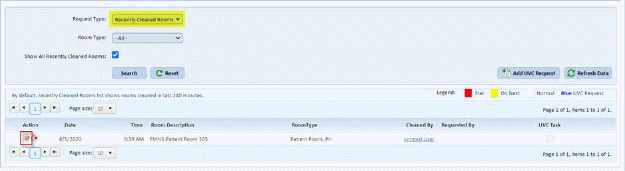
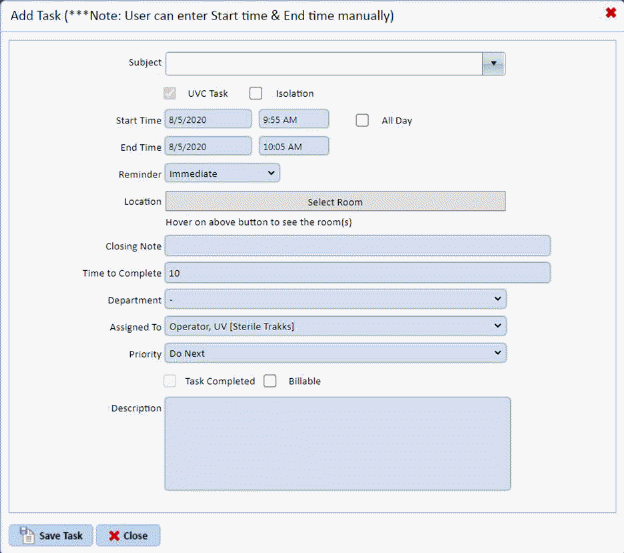
Recently cleaned room as shown below:There are two ways to add a uvc request: First the user may edit an existing recently cleaned room thus creating a UVC Request, OR the User may use the Add UVC Request button to create a new UVC Request.
1. Click
the edit icon on an existing
Recently cleaned room as shown below:
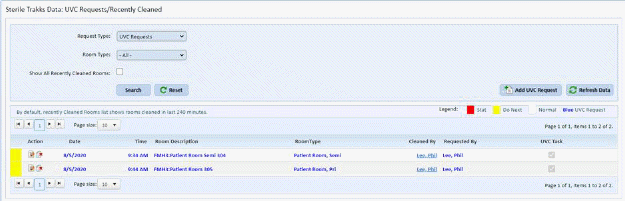
The room will automatically be changed from a recently cleaned room to a UVC Request for the same room as shown below:
2. User
may click the Add UVC Request button  to display the form shown
below:
to display the form shown
below:
3.
Complete as much information as possible and then click the Save Task button
 .
.