 . You should open the form below:
To add notes to the duty list, do the following:
1. In the Daily Assignment Module, select the assignment that need notes.
2. While
In the Duties Tab, click on the Add Note button . You should open the form below:
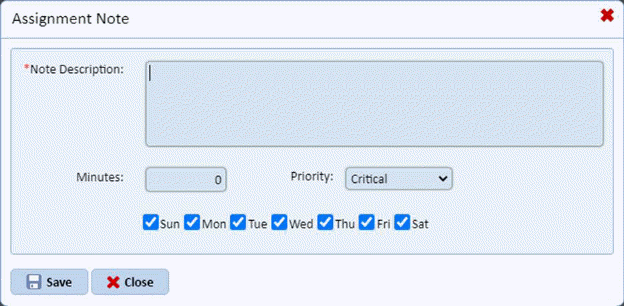
CAUTION: Please be warned that you can only enter a limited amount of text at a time.
3. From the Assignment Note form, you can enter the specific note and provide the time it takes to perform such an instruction from the note. Below is an example:
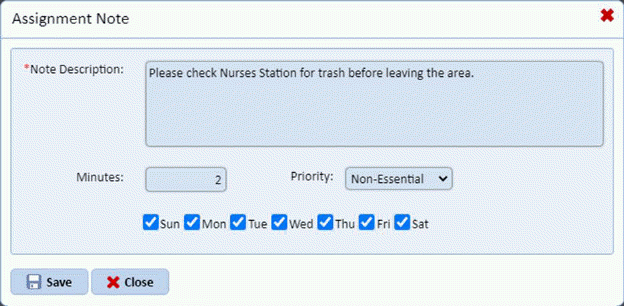
The number entered in the Minutes field affects the Total Time listed for the assignment. It will become part of the employees work routine. You can also specify the priority of a note and when such a note is applicable during which days of the week you have checked.
4. If you
are satisfied with the note entered, click on the Save button  . The note you entered should now be at
the bottom of the duty list.
. The note you entered should now be at
the bottom of the duty list.
5. If you want to enter more notes to the assignment, repeat steps 2 through 4.
6. You now have the option of saving the changes to the assignments or not by clicking
7. on the
button or the  button, respectively.